
Civil Site Design Plus (CSD+) — Professional Civil Design for AutoCAD
Civil Site Design Plus (CSD+) is a professional civil engineering design solution built on AutoCAD, delivering fast, accurate road, subdivision, grading, pipe, and earthworks design without the complexity or overhead of Civil 3D corridors.
CSD+ uses lightweight, highly accurate 3D models to generate automatically updating plan, profile, and cross-section layouts directly within the drawing file.
Below we highlight the key features of CSD+ that allow you to move quickly through a project with its productivity tools.
Surfaces From Satellite Data, Point Files, LiDAR, Contours And Civil 3D
Civil Site Design Plus offers all of the standard tools for creating surfaces from 3D points, contours, point files and LAS files. You can easily configure the outputs to your standards using the provided COGO Points features.
The satellite to surface feature will geo-reference your drawing and will use Google elevation data as well as imagery from multiple sources to generate a surface and overlay the image in just minutes.
Civil Site Design Plus will also load Civil 3D surfaces and alignments from LandXML.
Create Alignments from Polylines
With Civil Site Design Plus alignments are created from polylines either individually or automatically from all polylines on a specified layer.
Once created, you have full control of the alignment properties, display characteristics and documentation.
Templates Eliminate Assemblies
Templates provide an intuitive way to define your road, curb, sidewalks, pond elements and related grading polylines.
They replace the need to build out complex assemblies and can be easily customized to meet specific project needs
Civil Site Design Plus provides a number of state specific templates that can be easily configured to conform to your standards.
Automated Road Network Design
Once your alignments have been created, you can apply a template and generate the design for an entire subdivision with a single mouse click. You can also create all of your curb returns with a single mouse click saving you hours of time.
This time saving process creates an initial vertical design for each road, applies your default template and allows you to view plan, profile and cross-sections simultaneously.
All are tied together so changing the vertical design of one road updates all of the connected profiles.
Interactive, Intuitive Design Tools
The interactive design tools allow you to simultaneously access multiple windows of your design. You can open multiple profile views including curb returns and observe changes as a profile is updated. Same with cross-section views.
The model viewer tool allows you to see the changes rendered in real time providing an intuitive perspective that helps experienced designers and greatly increases the productivity of new designers.
Real Time Interactive Visualization
The unique Model Viewer not only assists your design process with real time rendering and visualization, it has a number of powerful analysis tools including line of sight analysis and reporting, automated line marking which can be exported to your CAD drawing,
For those who want to render a design for visualization, you can extrude buildings, insert objects like street lights and vehicles and much more.
And you can easily create videos with fly overs that you can share with your clients.
Pipe Design
The pipe design module allows you to easily layout your design with simple polylines, will assign pipes and structures and will generate your network automatically.
The Civil Site Design Plus pipe designer, provides a powerful interface that displays pipes in relationship to the ground surface. Pipes are designed automatically based on minimum slope and design flows. Obstructions from other utilities are displayed and color coded based on minimum clearances.
Incoming pipes are also displayed and will control the manhole inverts where appropriate.
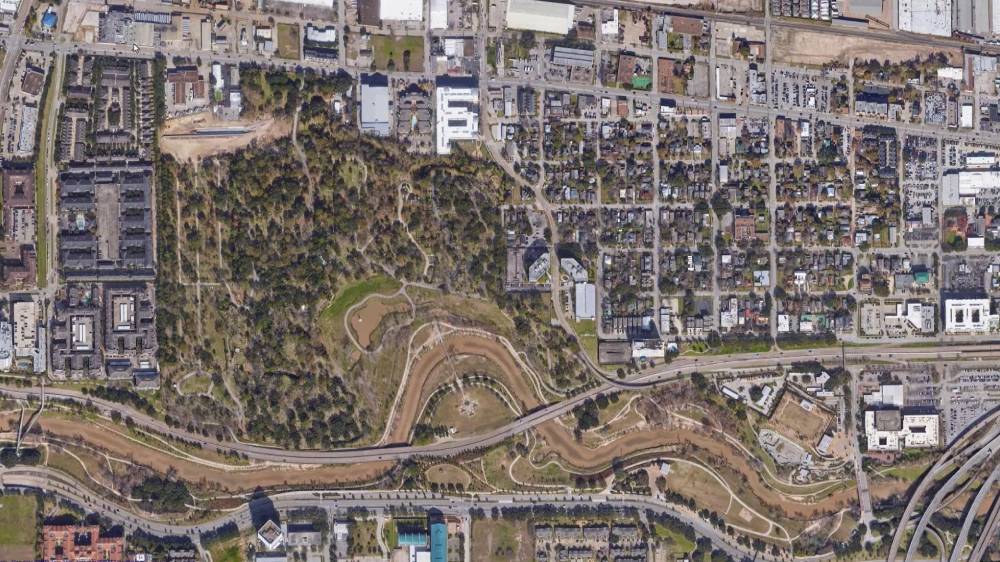
Surfaces From Satellite Data, Point Files
Civil Site Design offers all of the standard tools for creating surfaces from 3D faces, 3D points, contours and point files. You can easily configure the outputs to your standards with the COGO Points features. Civil Site Design also supports reading Civil 3D surfaces and alignments directly from your Civil 3D drawings. The satellite to surface feature will geo-reference your drawing and will use Google elevation data as well as imagery from multiple sources to generate a surface and overlay the image in just minutes.
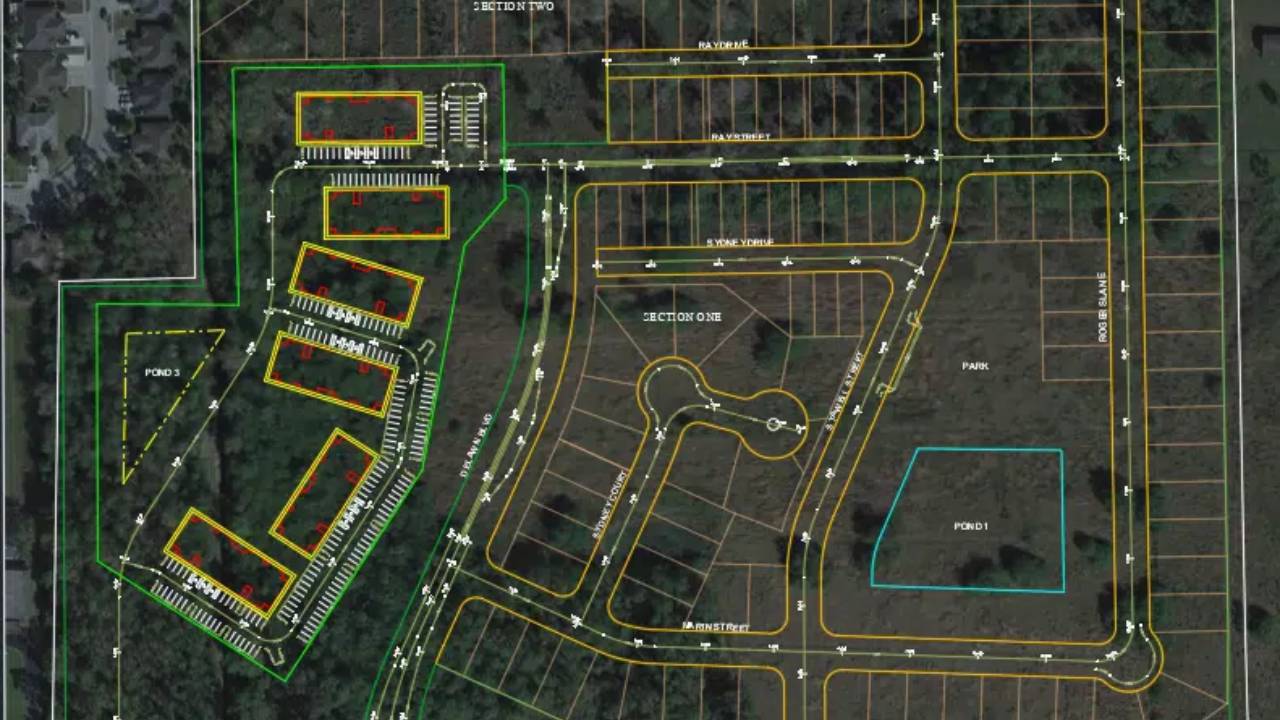
Artificial Intelligence – AI for Subdivision Design
AI for subdivision design reduces the time taken to layout a subdivision road network from hours or days to just minutes. This feature deduces your design intent based on how you name your alignments and learns as you make corrections.
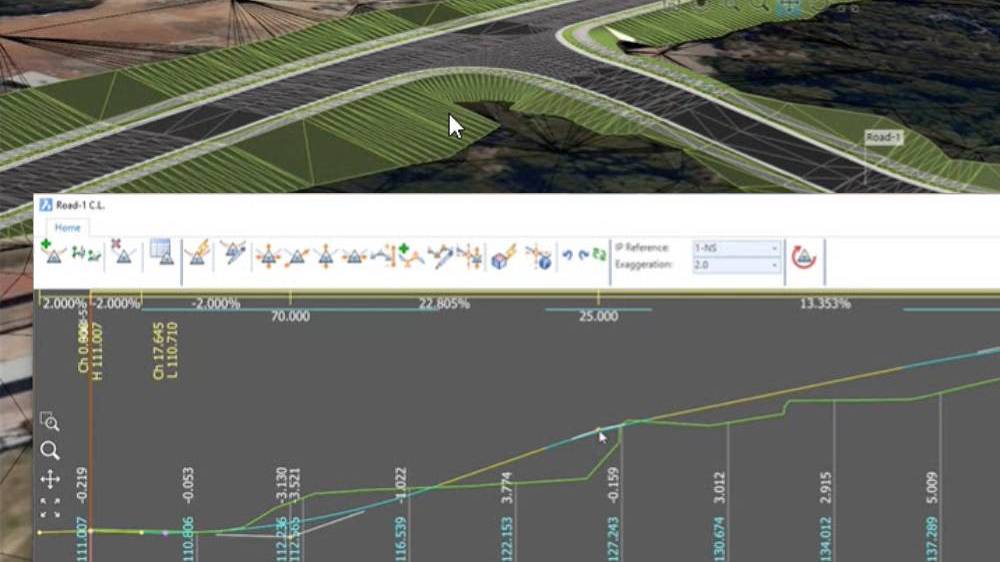
Model Viewer – Real Time Interactive Visualization
Model Viewer offers real-time rendering, allowing designers to see their creations come to life as they work. This real-time interactivity ensures that any design changes can be visualized instantly, eliminating the guesswork and ensuring that the final output aligns perfectly with the designer’s vision.
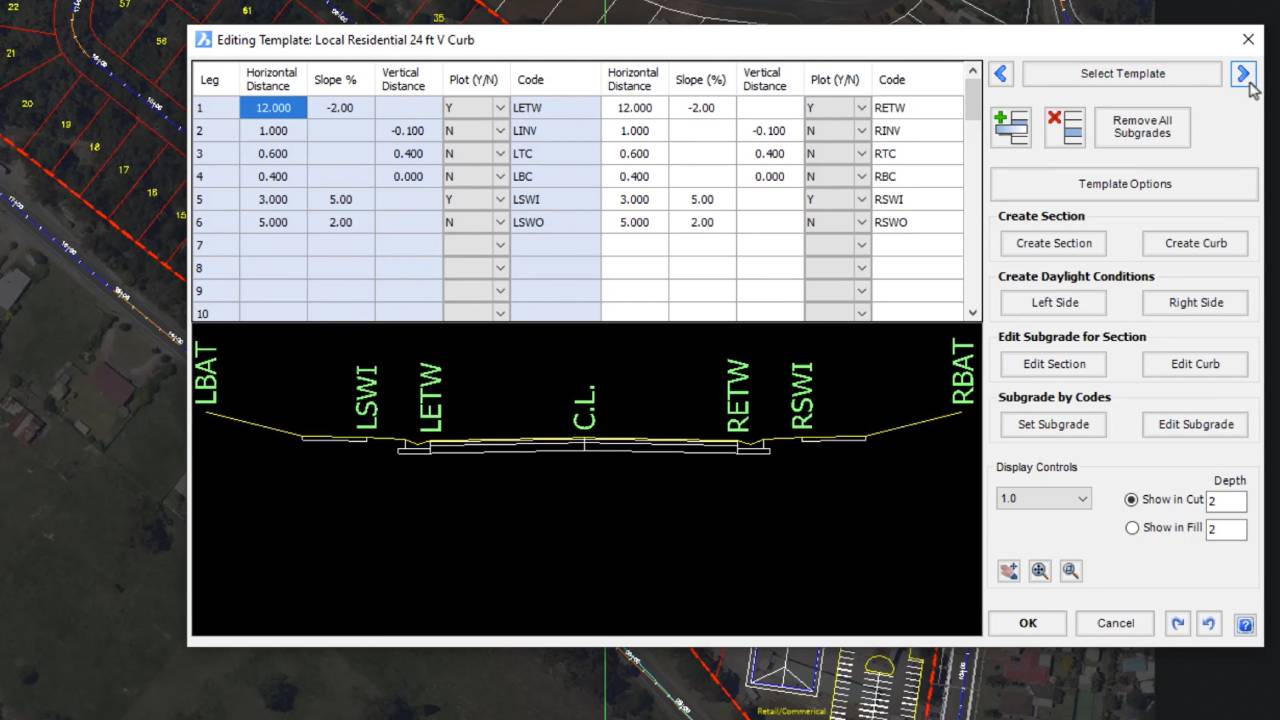
Templates Simplify Assemblies
Templates provide an intuitive way to define your road, curb, sidewalks, pond elements and related grading polylines. Civil Site Design provides a number of state specific templates that can be easily configured to conform to your standards.